 Sarah Miller
WordPress.com has rebuilt WordPress Studio around its AI agent, Studio Code. In a post published November 4, 2026, Rich Tabor describes a workspace where a site starts as a conversation: you describe what you want, the agent builds a first version, and a live preview sits beside the chat while you iterate.
The agent itself is not brand new. Automattic added it as a beta in August. What changed this month is the product around it. Sites and their chats now live in one sidebar, site and app settings share a single Settings window, and a command palette (⌘K on Mac, Ctrl+K on Windows and Linux) jumps to sites, chats and actions. The same agent is also available from the Studio CLI via studio code, or as a browser workspace with studio ui.
Studio remains a free desktop app for macOS, Windows and Linux, and the project is open source under GPLv2. You still build locally, share a preview when you want feedback, and decide where the site lives when you are ready.
What The Redesign Adds
A guided design flow that leaves a paper trail. Ask for a new site and, unless your request already describes a design, the agent offers four looks, then four layouts in the look you pick. Your choice is saved as DESIGN.md in the site folder. Later chats follow it so the look stays consistent. The Studio Code docs add that fonts from DESIGN.md are self-hosted, and that Studio can list differences if theme.json drifts.
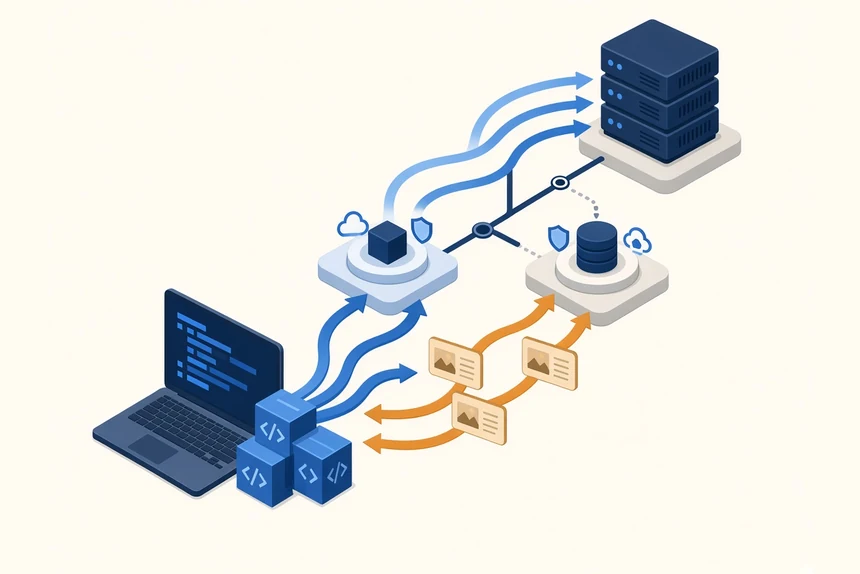
A WordPress-aware harness. Automattic calls Studio Code the WordPress harness behind the conversation. Per the announcement and docs, the agent checks blocks against the block editor before adding them, reviews its own work with screenshots, and can create themes and plugins, edit files, run WP-CLI, deploy previews and publish.
Annotate for pointing instead of describing. Turn on Annotate above the preview, pin notes to elements, optionally attach a reference image, and send a batch in one go. Docs allow up to 100 notes before sending. Annotate is not available for the Database view or for chats that work on a live site.
Model tiers, credits and bring-your-own keys. With WordPress.com AI credits you pick Fast for everyday edits, Balanced for more careful reasoning, or Strong for complex multi-step builds. How AI Credits Work says every account gets a one-time free allowance that can only be spent on Fast; Balanced and Strong need purchased credits. Purchase packs currently listed are $10, $20, $50 and $100. You can also connect your own Anthropic API key and choose Sonnet 5 or Opus 5 by name, billed by Anthropic. A payment method on WordPress.com is required for WordPress.com AI, described as an anti-abuse check.
Local or live, and your own agent over MCP. Studio already synced with connected WordPress.com or Pressable sites. The agent can now build locally and push when ready, or work directly on the live site. Docs say a Live chip appears when that happens, and the agent does not pull a live site over a local one without confirmation. Teams already using Claude Code, Codex or Cursor can connect those tools through Model Context Protocol in Settings → MCP and reuse the same WordPress harness.
Why It Matters For Devcontentops
Agentic site builders are becoming a default authoring surface on some platforms. That raises the same questions we ask of any content-driven delivery pipeline: where does the agent write, who reviews the change, and how do design decisions survive the next chat?
Studio's DESIGN.md file turns a conversation into a versioned artifact other chats, and other agents, can follow. Annotate and screenshot review push verification closer to the preview.
Teams that already run agentic CMS workflows, including CrafterCMS with Git-backed promotion and conversational layers such as CrafterQ, will recognize the pattern even on a different stack: keep a human in the approval path, prefer local or preview environments before production, and treat agent output as content that still needs versioning, review and a clear publish step. We are not ranking products here. The shared lesson is process, not brand.
What Web Teams Should Do
- Treat Nov 4 as a workspace change, not a brand-new agent. If you tried the August beta, focus on navigation,
DESIGN.md, Annotate, live-site editing and MCP. - Start on Fast and measure credit burn. The free allowance only funds Fast. Run a representative edit before unlocking Balanced or Strong, and watch Settings → Usage or
/credits. - Keep live edits behind a policy. Prefer local builds and preview links for anything non-trivial; reserve live agent work for small, immediately verifiable fixes.
- Write custom instructions once. Brand voice, plugin policy and similar house rules belong in Settings → Instructions so every new chat inherits them.
- If you already pay for another agent, try MCP first. Connecting Claude Code, Codex or Cursor to Studio's WordPress harness may beat teaching a general agent WordPress from scratch.
- Budget for credit packs or Anthropic billing. Official docs do not publish a fixed price per task. Do not build fixed-margin delivery quotes on credit spend until you have your own samples.
Caveats We Could Not Verify
WordPress.com does not publish the size of the free AI Credits allowance, or a simple credits-per-task rate, in the pages we checked. Docs also still mention a limited beta-access gate for some accounts. Recheck Studio Code and How AI Credits Work before you publish cost guidance of your own.
For web teams watching agentic CMS and website builders, the news is less that WordPress has an AI agent, and more that Automattic rebuilt Studio around one, left a design system file behind, and opened the same harness to rival agents over MCP.