 Sarah Miller
In our 2027 field guide, we defined DevContentOps as the practice of bringing content into the same delivery discipline as code. The hard part is not the slogan. It is the mechanics: which branch is the source of truth, who promotes a change, and how you keep test content out of production.
We use CrafterCMS's documented DevContentOps model as the detailed reference because it is Git-native and spells out those mechanics in public docs. Other platforms reach similar outcomes with different tools, covered fairly below; we are not ranking vendors. Years ago we listed git-based CMS tools; this is about the workflow itself.
Why Branching Matters For Content
Most web teams already branch application code. A feature lives on a branch, a pull request is reviewed, and only then does it move toward production. Content often skips that pattern. It is edited in a CMS database, published from production, and copied into lower environments only when someone remembers to run an export.
That split leaves developers testing against stale content, blocks a template from shipping with its matching copy, and often freezes authors during a release.
A Git-based CMS workflow treats templates, configuration and content as versioned files. Branches become the promotion path. The benefit is not that "everything is Git." The benefit is that promotions, reviews and rollbacks use tools the engineering team already trusts.
Crafter's own explanation of Git as a content repository argues that Git's distributed model makes it easier to move content from higher environments to lower ones — useful only if the team agrees on direction: code forward, content back.
The Reference Branch Model
Crafter Studio, CrafterCMS's authoring tool, is built around an embedded Git repository. An external Git server — GitHub, GitLab, Bitbucket or similar — holds the shared promotion branches. The DevContentOps documentation describes two repository strategies.
The simpler one, which the docs say works for most cases, is a single upstream repository with many branches:
dev-a-forkon the developer's laptop, for day-to-day workdevandstudio-devfor the shared development environmentqaandstudio-qafor quality assuranceprodandstudio-prodfor production
The studio-* branches back each Studio authoring environment. The dev, qa and prod branches on the Git server are where code is reviewed and promoted. The docs also describe a one-repository-per-environment approach, useful when environments differ sharply — for example, when QA holds a large set of test content you do not want in the same repository as production, even on a separate branch.
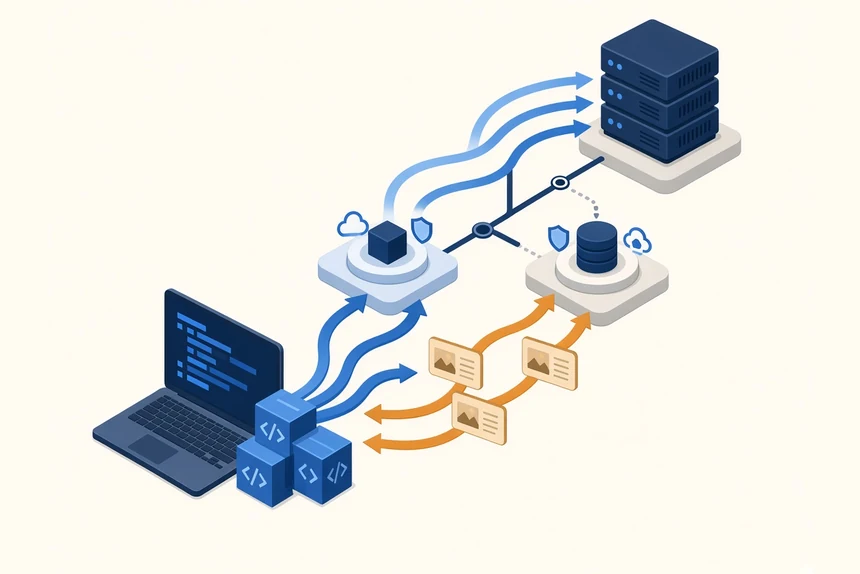
In either layout, an environment is a CrafterCMS deployment serving the same projects with different users: a local workstation, a shared Dev, QA and Prod. Code normally flows from 1 to 4. Content, when policy allows, flows back from 4 toward 1. For smaller sites, the docs note that code can be edited in production authoring, previewed in Studio, tested in Staging and published to Live.
What Moves Up And What Moves Down
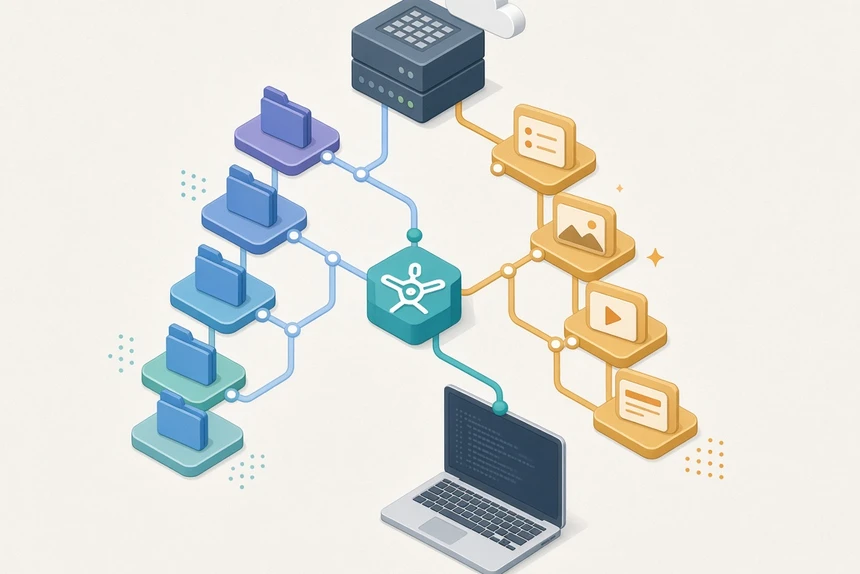
Branch names only help if the team also agrees on which paths travel with code and which travel with content. CrafterCMS recommends path conventions that keep those domains apart.
Promoted up from development, as developer-owned:
/scripts/*for Groovy code/templates/*for FreeMarker templates/sources/*and/static-assets/app/*for application sources and compiled front-end code/static-assets/root/*for items such asrobots.txtandfavicon.ico- other
/static-assets/*binaries typically used by developers /config/*, with the special case that each environment can also have its own configuration
Promoted down from production, as author-owned:
/site/*for content items and pages/static-assets/content/*for binary objects used by authors
If teams follow those conventions, merge conflicts should be infrequent, the docs say. Promotions happen in the Git server, with pull requests and branch protection. Studio then pulls the result into its sandbox; its Git project tool is not meant to be the merge platform.
A Practical Promotion Path
Here is the code-forward path the documentation describes.
1. Start from a fork. The developer forks the shared dev branch once, creating something like dev-a-fork, and pulls it to a workstation.
2. Decide which content the feature needs. If the work requires Studio, the developer can create an orphan project from dev-a-fork, which carries the latest content brought back from production, or from studio-dev, which has the latest shared Dev content.
3. Work on a feature branch, in an IDE. The developer creates a feature branch, edits in their usual tools, and carries patches from Studio's local repository into that branch as needed. When ready, they open a pull request into dev, not directly into studio-dev.
4. Promote in Git, then pull into Studio. After the pull request is merged, code flows from dev to studio-dev on the Git server. On Dev authoring, a developer or DevOps engineer opens Project Tools, then Git, pulls from the remote that tracks studio-dev, reviews the changes in Studio, and publishes so Delivery Dev is updated.
5. Repeat for QA and production. The same pattern applies from dev to qa, then to prod: promote on the Git server, pull studio-qa or studio-prod into the matching authoring environment, validate, then publish.
A successful pull updates the sandbox; it does not go live until you publish, using Project Tools → Publishing. After a pull, Studio can copy the merge commit id so you can publish that commit. Updates pulled into Studio should be fast-forward only, not history-rewriting actions such as resets or unrelated merges.
If a pull reports a conflict, resolve it on a workstation or in the Git service when you can, then pull again. Studio offers coarse options — Accept Ours, Accept Theirs, or try to merge — which the docs treat as emergency tools.
Content Back, Carefully
Content authors, in this reference workflow, work almost exclusively in the production authoring environment, where content can stay in draft, be previewed and go through approval before it goes live. It does not mean editing the live site directly.
When policy allows, production content is flowed down to QA, Dev and developer workstations so code is tested against realistic content. The docs state that content flow from lower environments to higher ones "must be prevented" as this workflow's rule. Content Back never occurs from studio-qa into qa, or from studio-dev into dev. Content should enter the promotion branches from studio-prod.
Teams can still allow controlled exceptions, such as seed or migration content bundled with a release, through a reviewed process. The documentation notes that Git rules which reject unexpected content may need an override for an intentional Content Back.
After that merge lands on the Git server, lower authoring environments still have to pull it into Studio. If you use a blob store for large binaries, usually under /static-assets/content, the docs say you must sync that store from the higher environment as well. An S3-to-S3 sync is given as a simple example, not the only method.
The most important protection, the docs say, is on merges into dev, where developer content is most likely to enter the shared system by accident. That means branch protection and pull-request review on the Git server; checks that reject author-owned paths such as /site/* and /static-assets/content/* from lower environments; a documented exception process for intentional Content Back; and publishing from production authoring, not from a developer's sandbox.
If developers or QA have edited items at the same paths as production, a Content Back can conflict. Accepting the lower-environment version is possible, the docs note, but then production content will not reach that environment.
Conflicts, Blobs And The Occasional Clean Start
CrafterCMS is not, in its own words, a conflict management utility. Developers and DevOps should use the Git tools they already prefer, often by merging dev and qa locally, fixing the conflict and pushing the result, or by using a dedicated branch if branch protection requires a pull request.
Projects with low or moderate content generally need no special repository maintenance, according to the same guide. Very large content volumes can affect Git performance. In those cases the docs suggest the multi-upstream repository model, ordinary Git tuning, or, in Dev, dropping the fork and recreating it from QA — an occasional step that also requires developers to recreate their forks.
The documented payoff is reproducibility: environments can be recreated from the same Git-based process, which Crafter contrasts with standing up a local copy of a database-oriented CMS.
How Other Platforms Approach Environments
Git is not the only way to isolate work in progress from production. When you evaluate any CMS, judge the outcome: can code and content move independently, is every change versioned, and can developers get realistic content without risking production?
Contentful uses environments and environment aliases. An alias is a static ID, by default master, that points at a target environment and can be switched to another. Contentful recommends that editors work in the master alias. Its official tutorial on creating and deploying content type changes walks through cloning the environment behind master, testing in development, applying migrations to a release environment, then pointing the alias at the release, with the prior target kept for rollback. That is environment swapping and migration scripts, not a Git branch checkout, but it is still a promotion model with a rollback path. In other words, Git-like not Git-based.
Sanity organizes content into datasets, and its documentation lists operating different environments for testing, staging and production as a typical use. Teams keep datasets isolated and copy or migrate between them rather than sharing one mutable production store.
Database-backed systems without first-class environments usually rely on export and import, configuration-sync tooling and migration scripts. Those can work, but they tend to need more custom automation to approach the same discipline.
What Web Teams Should Do
- Draw the environments and the direction of travel. Name local, Dev, QA and Prod, and write down that code moves up and content, when allowed, moves down from production authoring.
- Adopt path conventions before you automate. Decide which trees are developer-owned and which are author-owned, and keep author-owned paths out of ordinary code pull requests.
- Promote in Git, pull in the CMS, then publish. Do not treat a merge as a live release. In CrafterCMS, that means a pull request, a Studio Git pull, a review and a publish of the resulting commit.
- Protect
devfrom stray content. Put the strongest checks on the branch where developer work first becomes shared. - Plan Content Back, including binaries. If you refresh lower environments from production, include blob or asset storage, and mask sensitive data where policy requires it.
- Resolve conflicts where your team is already strong. Use workstations and the Git server for merges. Keep the CMS out of the role of merge tool.
- Apply the same rules to AI-generated changes. If an agent edits templates, configuration or content, those changes still need a branch, a review and a promotion path.
A Git-based CMS workflow is a way to stop treating content as an exception to delivery. CrafterCMS is a useful reference because its public docs describe the branches, path conventions and Studio Git tool in operational detail. Contentful, Sanity and other platforms can support disciplined promotion too, with environments, aliases or datasets; but not with Git and its underlying benefits. Whatever stack you use, the test is the same: can a template and its content move on purpose, in the right direction, without a freeze?